Colorize a black-and-white photo
Natural, believable color for black-and-white and sepia photos — skin, fabric, sky and foliage each treated the way film would have seen them.
Free during early access · 2 restorations a day
Colorizing a black-and-white photo here is not a filter laid over gray. The same pass that finds the color also closes the scratches and tears underneath it, because a colorized crack is still a crack.
- Natural skin tones, not orange filters
- Fabrics, uniforms and interiors in plausible color — inferred, not recorded
- Sepia and fading corrected along the way
- Facial features protected in the instructions
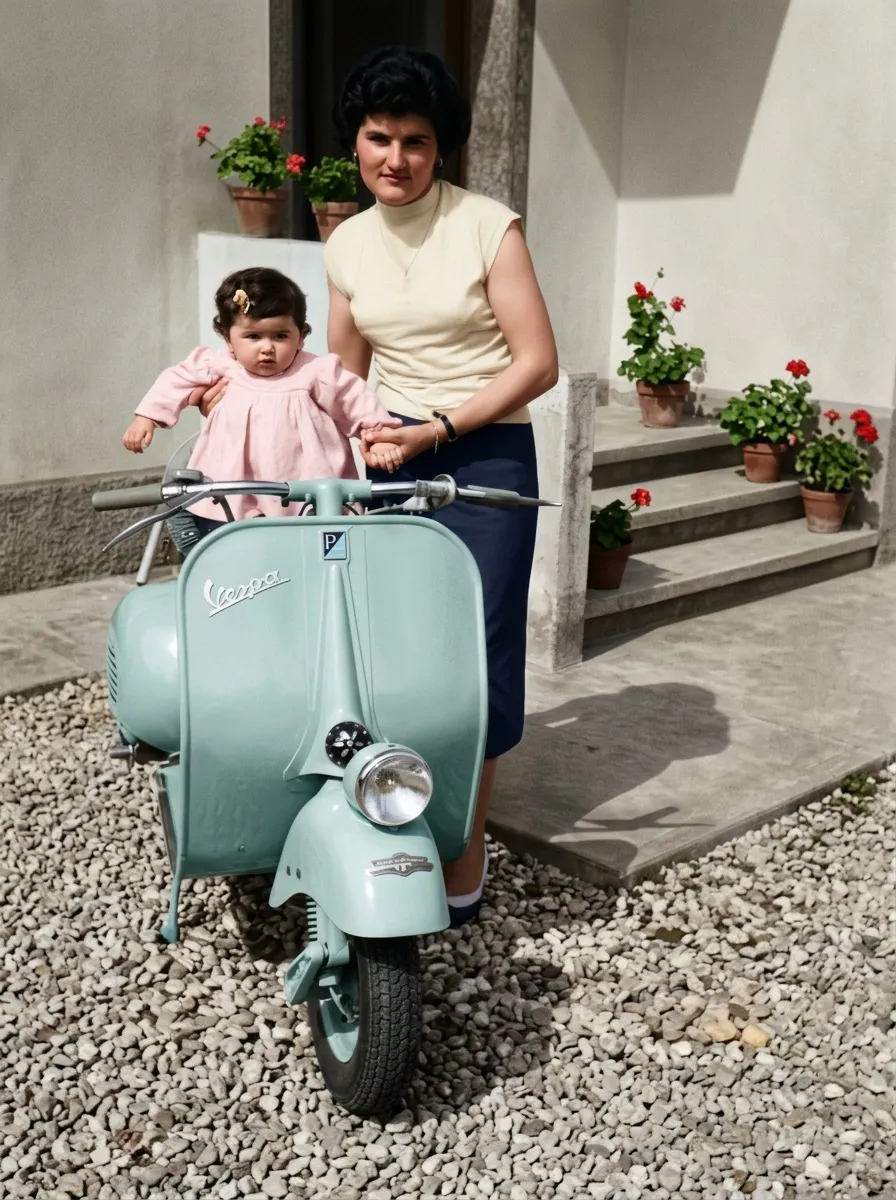
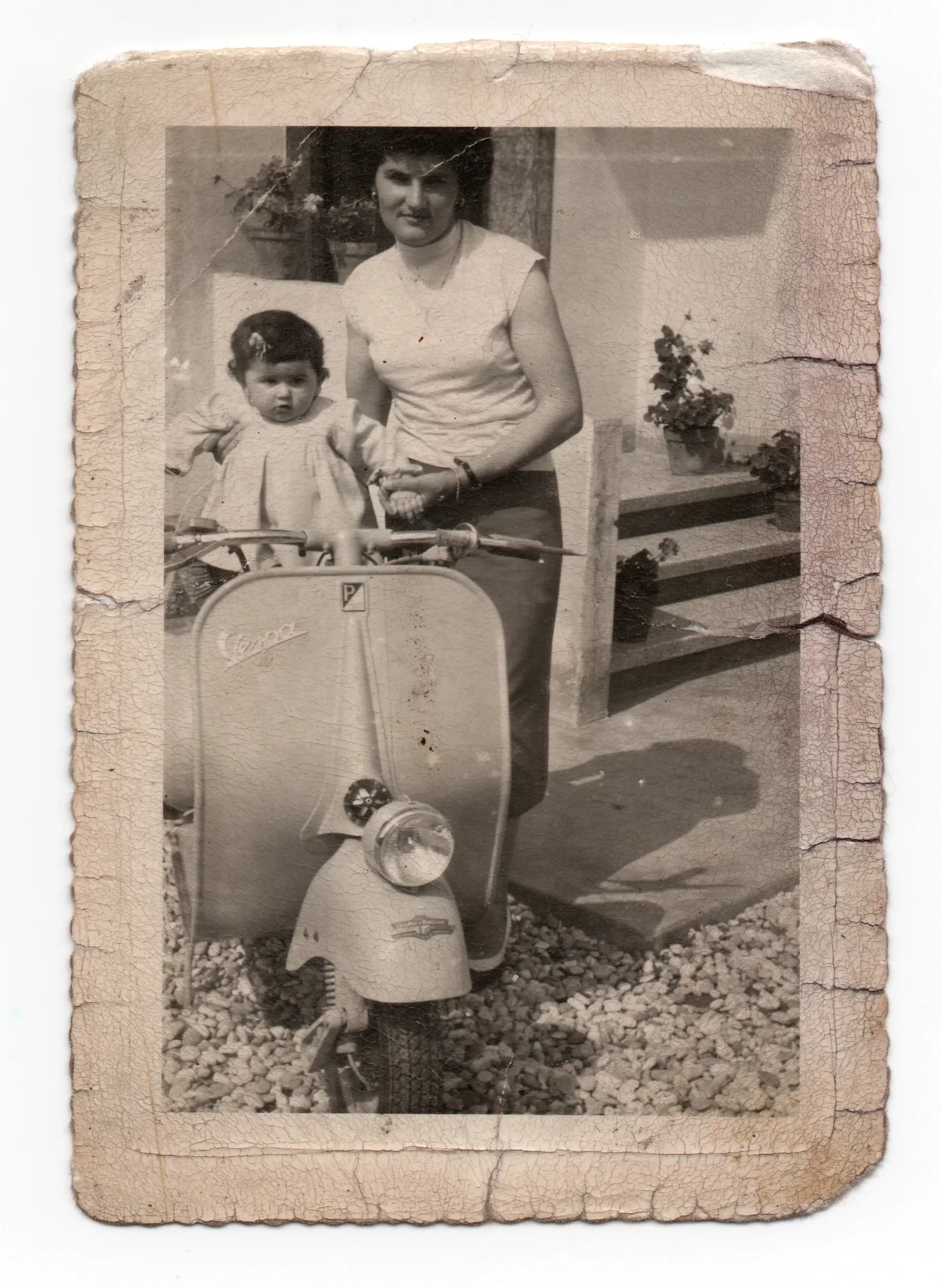
How colorizing works here
The photo is read first
Before any color is chosen, the picture is examined: whether it is a neutral black-and-white print or a sepia one, what is in the frame — sky, foliage, water, a uniform, an interior — and how badly the print is damaged. Color is decided from what is actually there.
Damage is repaired at the same time
Scratches, tears and stains are closed in the same pass. There is no point coloring a crack: it would come back as a colored crack.
Color is inferred, not invented
Skin first, and different for each person. Then fabric, sky and greenery, each read from tone, texture and light. Where the photograph gives no evidence at all, the quiet, ordinary choice wins over the striking one.
What colorizing can infer
- Skin, hair and eyes — read from tone and context, believable rather than uniform
- Sky and water — the blue deepening away from the horizon, water taking the sky’s color
- Foliage and grass — the greens of the season the photo was taken in
- Uniforms and formal dress — the plausible color of their period, with no invented insignia
What it cannot know — and will not do
- Cannot know: the exact shade of a dress, a car or a front door — nothing in a black-and-white negative records it
- Cannot know: eye color, unless the photograph itself is light enough to show it
- Will not do: neon, oversaturation or a filter laid over gray
Against hand-coloring
| Epoha | Colored by hand | |
|---|---|---|
| Time | About a minute | Hours to days per photo |
| Damage repaired first | In the same pass | A separate job, usually charged separately |
| Family knowledge — her dress was green | You cannot tell it yet | A person can be told, and will paint it |
| Consistency across a whole album | Every photo treated the same way | Depends who is holding the brush |
A colorized photo is a reconstruction, not a document
Nothing in a black-and-white negative records what color anything was. What comes back is a careful, plausible reading of tone, texture and light — the way color film of that period would most likely have rendered the same scene.
That is worth saying plainly, because it changes what the picture is for. It is a way of seeing a moment as the eye would have seen it, not evidence of what shade the uniform was. If your family remembers a detail — the color of a dress, of a house, of someone’s eyes — the honest version of that photograph is one where you say so, and it is painted in.
Questions
How does AI know the real colors?
It does not know them — it infers plausible color from texture, light and context. Treat the result as a plausible reconstruction, not a documentary record. There is no field for details you know, like eye color, so keep them as your yardstick when you compare the result with the original.
Can I colorize a damaged photo?
Yes. Colorization includes basic restoration: scratches and fading are repaired first, then color is applied.
Will it also fix sharpness?
Yes — sharpening, repair and color happen in the same pass. A very blurry or tiny photo comes back cleaner, not sharp: detail the original never held cannot be added.
Restore an old photo
Scratches, tears, creases, stains and fading — repaired in about a minute. Faces are protected in the instructions, and you compare the result with the original; on group photos, check every face.
EnhanceEnhance a blurry photo
Soft focus, motion blur, tiny prints and low-resolution scans — turned into clear, clean images.