Enhance a blurry photo
Soft focus, motion blur, tiny prints and low-resolution scans — turned into clear, clean images.
Free during early access · 2 restorations a day
Enhancing a blurry photo here begins by finding the photograph inside your file — under the table, the fingers and the crooked angle it was shot at. The same pass that recovers detail also repairs the damage and brings a black-and-white print back in color.
- Blur and soft focus corrected
- Small prints come back clearer and larger
- Film grain and noise cleaned without plastic skin
- Facial features protected in the instructions
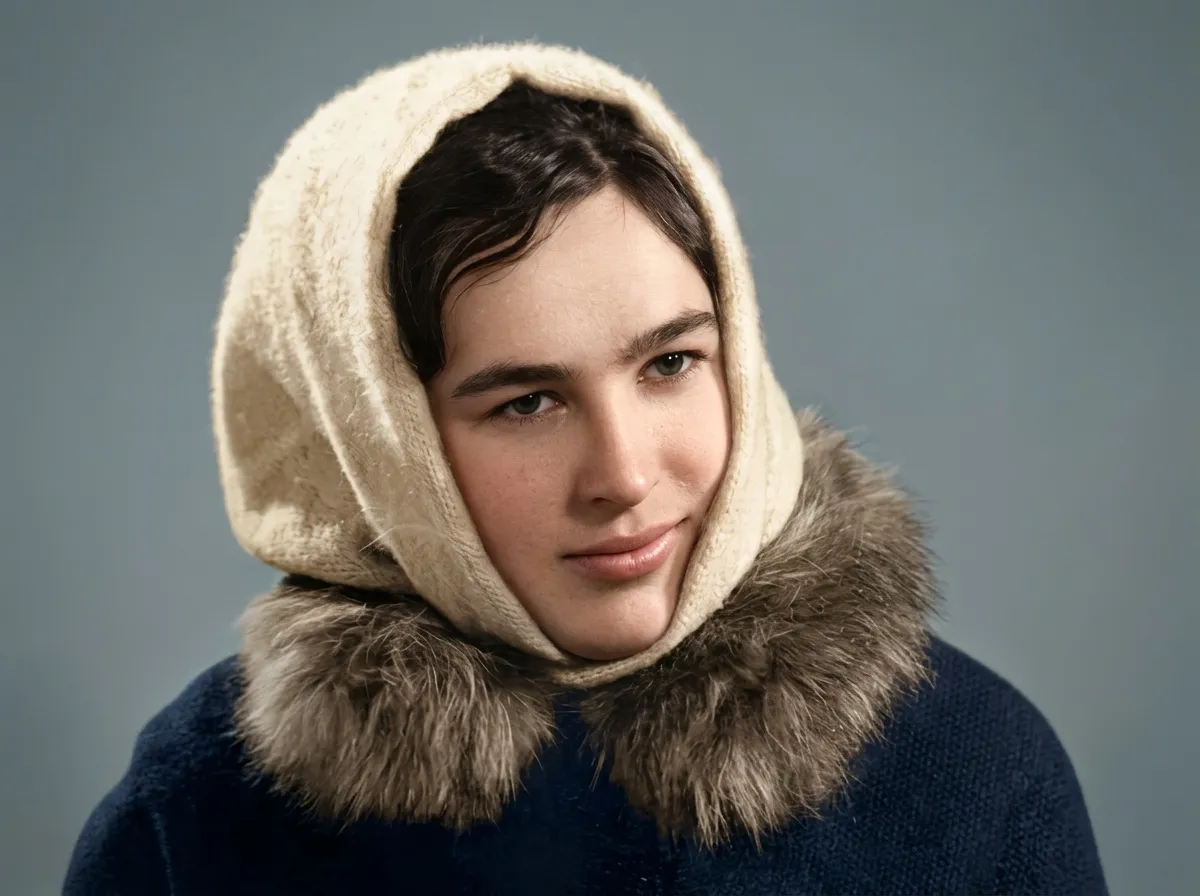
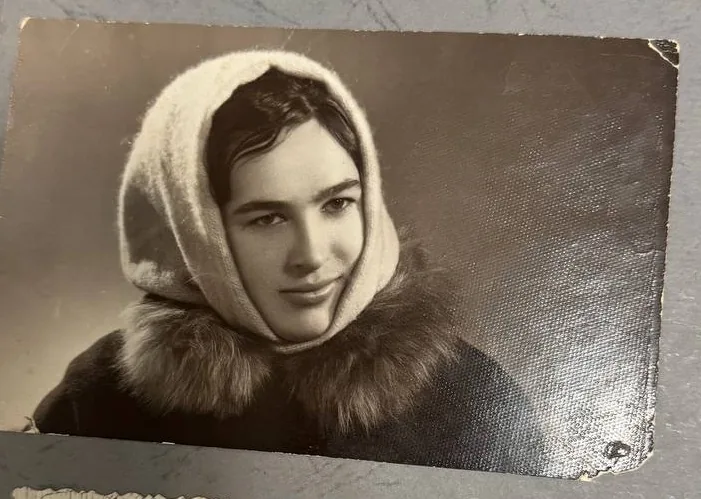
How enhancing works here
The photograph is found inside the file
A blurry photo is often a phone shot of a print: the table, your fingers and the album page come with it, and the print lies at an angle. All of that is removed and the picture is straightened before anything else happens.
Detail is recovered, not invented
What the print lost to age, copying and a small original is brought back. What the original lens never resolved is left alone — a face that was three pixels wide does not get features it never had.
Damage and color come along
Scratches, stains and fading are repaired in the same pass, and a black-and-white photo comes back in color. There is no separate step to buy.
What enhancing fixes
- Soft focus and gentle motion blur
- Small prints — wallet size, passport size, contact prints
- Low-resolution scans and old digital files
- Glare and uneven light from photographing a print with a phone
- The crooked angle of a print shot on a table
- Grain and speckle from a fast film or a bad scan
- Flat, washed-out contrast
Against a plain upscaler
| Epoha | A plain upscaler | |
|---|---|---|
| Faces | Told in detail what must not change | Redrawn to look sharp |
| Damage | Repaired in the same pass | Enlarged along with the photo |
| Color | Included | Not offered |
| A face too small to resolve | Left as it is, only cleaner | Given invented features |
| You see it before paying | Always | Usually after a subscription |
How large does it come back
About 1,400 pixels on the long side. That suits a frame on a shelf or a small print; a large canvas is beyond it.
Which means the point here is clarity, not pixel count. If your original is a small print or a low-resolution file, 1,400 pixels is a real enlargement. If you scanned a photo at 600 dpi, what comes back has fewer pixels than what you sent — but without the blur, the grain, the damage and the missing color, and at the size of a small print that is what you actually see.
The other limit is worth knowing too: enlarging cannot add detail the original never held. A tiny, badly out-of-focus snapshot comes back clean, but it does not become a sharp photograph. The honest test is the face — if you can make out the eyes in the original, they survive.
Questions
Can you fix a photo where the face is a blur?
If the face is a few dozen pixels, detail is reconstructed conservatively so the person still looks like themselves. You will see the result before paying and can judge it yourself.
How large can you enlarge?
About 1,400 pixels on the long side — right for a frame on a shelf, not for a large canvas. For a tiny print or a low-resolution file that is a genuine enlargement; for a 600 dpi scan it is fewer pixels than you sent, but clean. Either way, enlarging cannot add detail the original never held.
Is this the same as the restore tool?
It is the same single pass. There are three pages because people arrive with three different questions, but sharpening, repair and color all happen together — you do not have to pick, and you do not pay twice.
Restore an old photo
Scratches, tears, creases, stains and fading — repaired in about a minute. Faces are protected in the instructions, and you compare the result with the original; on group photos, check every face.
ColorizeColorize a black-and-white photo
Natural, believable color for black-and-white and sepia photos — skin, fabric, sky and foliage each treated the way film would have seen them.